
Download XLS Regenerator – Excel Recovery Tool, Data Restoration, File Recovery Utility
Overview
XLS Regenerator is a specialized mobile application designed to recover damaged, deleted, or overwritten XLS files. Its primary purpose is to restore critical Excel documents that may have been lost due to accidental deletion, file corruption, or system errors. This app addresses a common pain point for professionals, students, and data managers who rely on spreadsheet data for daily operations. By focusing on direct disk-level recovery, XLS Regenerator offers a unique solution compared to standard file repair tools that attempt to fix corrupted files internally.
The target users include individuals working with sensitive financial records, project planners, educators, and anyone managing structured data in Excel format. The app is particularly valuable in scenarios where data loss could lead to significant operational setbacks. Although the developer did not provide additional background information, the app’s long-standing presence since 2006 suggests a mature and stable product within the data recovery niche. Real-world use cases include retrieving lost budgets, restoring previous versions of reports, or recovering files after a system crash.
Within the mobile app ecosystem, XLS Regenerator fills a critical gap by offering a dedicated, efficient recovery solution for a specific file type. Its focus on disk scanning and undelete functionality sets it apart from general-purpose file managers or cloud backup tools. For users who prioritize data integrity and reliability, this app represents a practical and targeted utility in their digital toolkit.
Key Features & Functionality
- Direct Disk Recovery: Instead of attempting to repair corrupted XLS files from within the document, XLS Regenerator scans the disk at a low level to locate and extract lost data. This method increases the chances of successful recovery, especially when the file header is damaged.
- Undelete Capability: The app enables users to retrieve files that were permanently deleted from the recycle bin or lost during system cleanup. It uses disk-level scanning to identify remnants of deleted files, making it effective even after deletion.
- No System File Modification: XLS Regenerator operates without altering system files or registry entries. This ensures that the recovery process does not introduce instability or security risks to the device.
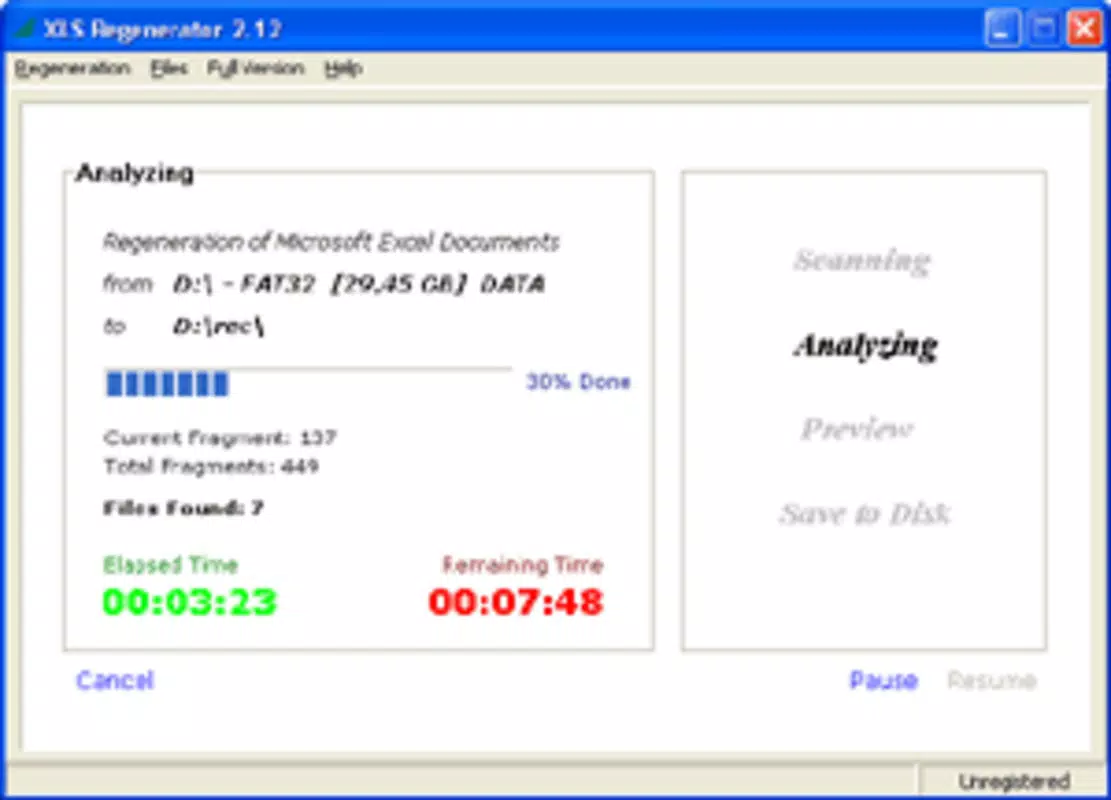
- Resume Functionality: Users can initiate a recovery scan and pause the process. Upon returning, the app resumes exactly where it left off, preserving progress and saving time on lengthy scans.
- Universal File System Support: The application is designed to work across any file system, allowing compatibility with various storage configurations, including internal drives, external USBs, and SD cards.
For example, a financial analyst who accidentally deleted a month-end report can use XLS Regenerator to scan their device and recover the file. Similarly, a student who overwrote a project spreadsheet may retrieve the original version through disk-level recovery. These real-world applications highlight the app’s practical value in minimizing data loss and reducing stress during critical moments.
Interface, UX & Performance
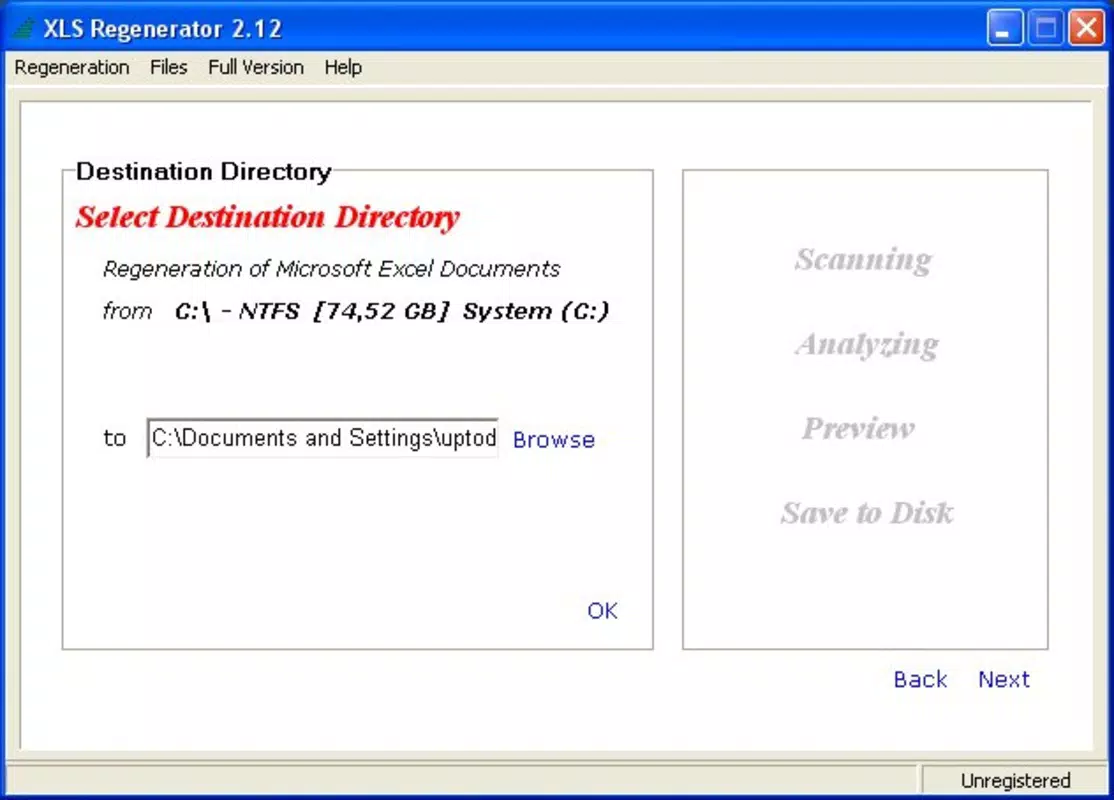
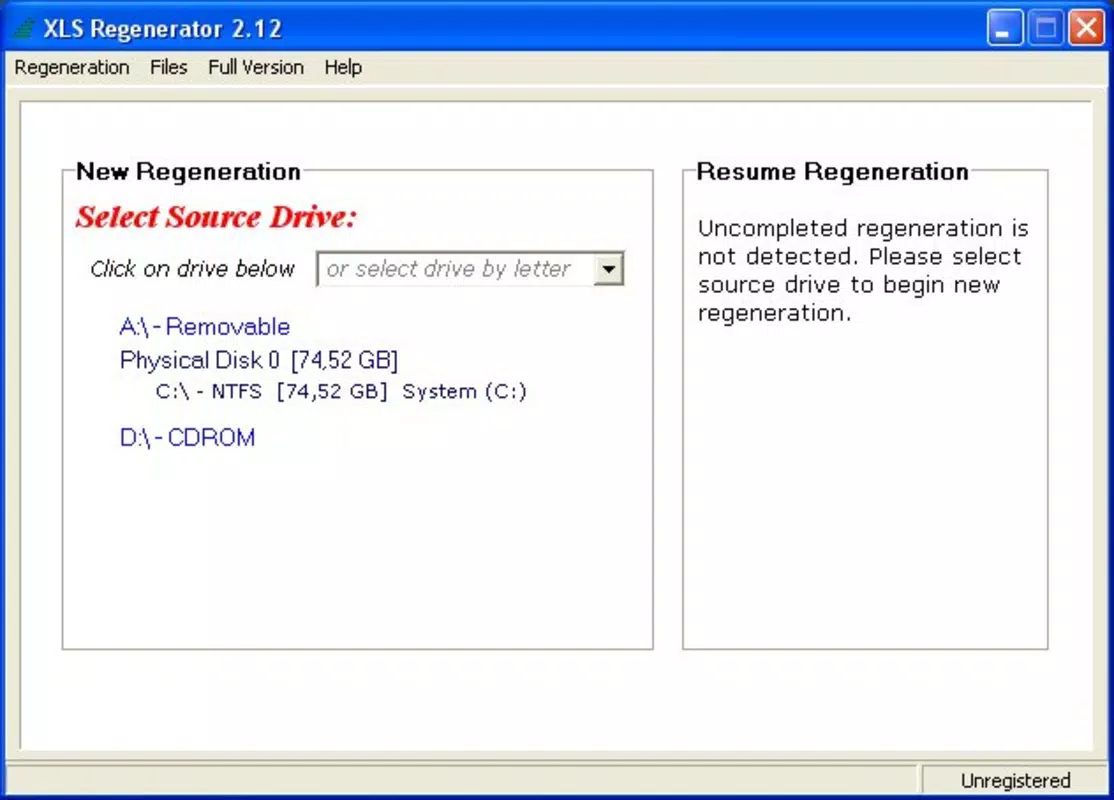
The user interface of XLS Regenerator appears to be designed with functionality and clarity in mind. While specific visual details were not provided, the app’s core functionality suggests a straightforward layout focused on essential recovery actions. Navigation is likely intuitive, guiding users through steps such as selecting the drive, initiating a scan, and previewing recoverable files.
Performance is expected to vary based on device capabilities and the size of the storage being scanned. Although the developer did not list formal performance metrics, the app’s resume feature indicates optimization for longer processes. This suggests that the application manages system resources efficiently, allowing users to continue using their device during recovery operations.
Responsiveness and stability are critical for data recovery tools. The app’s ability to resume interrupted scans implies a robust architecture capable of handling interruptions without data loss. Users can expect consistent behavior across different device categories, though specific compatibility details were not disclosed. The lack of system file modification further supports a stable and secure runtime environment.
Platform Compatibility & Technical Requirements
XLS Regenerator is available for mobile platforms, though the exact operating system and version were not specified. The file size of the app is not listed, which may affect installation on devices with limited storage. The developer did not provide minimum OS requirements or device specifications.
Given its release date in 2006, the app may have been originally developed for desktop environments. However, its current mobile availability suggests adaptation to modern platforms. Users should verify compatibility with their specific device and OS version before installation. The app’s universal file system support indicates it can function across various storage types, including internal memory and removable media.
Pros and Cons
- Direct disk-level recovery increases success rate for corrupted or deleted files
- Undelete feature works on permanently removed files
- No modification of system files ensures safety and stability
- Resume functionality allows flexible recovery sessions
- Supports any file system, enhancing versatility
- Specific technical requirements were not listed
- Compatibility with current mobile OS versions is unclear
- Developer background and support details were not provided
- Performance on low-end devices is unverified
- File size and update frequency are unknown
FAQ
Is XLS Regenerator safe to use on my mobile device?
Yes, the app operates without modifying system files, which reduces the risk of instability or data corruption. It is designed to be a non-invasive recovery tool.
Can I recover files after a factory reset?
Recovery after a factory reset is highly unlikely, as the data is typically overwritten. However, if the reset was recent and no new data has been written, limited recovery may still be possible.
Does XLS Regenerator work on both Android and iOS?
The platform availability was not fully disclosed. Users should check the app store listing to confirm compatibility with their device.
How long does a file recovery scan take?
Scan duration depends on the size of the storage device and the number of files. The resume feature allows users to manage long scans over multiple sessions.
Is there a free version of XLS Regenerator?
The pricing information was not provided. Users should refer to the official app store for current pricing and licensing details.
Final Thoughts
XLS Regenerator stands out as a focused and reliable tool for recovering lost or damaged XLS files on mobile devices. Its direct disk recovery approach, combined with a no-modification policy, makes it a trustworthy choice for users dealing with urgent data loss. The resume function and universal file system support enhance usability, particularly for users managing multiple storage types.
While some technical details remain undisclosed, the app’s core functionality is well-suited for professionals and individuals who depend on Excel data. Its long-standing presence in the market speaks to its reliability and continued relevance. For anyone facing the stress of lost spreadsheets, XLS Regenerator offers a practical, targeted solution.
Download XLS Regenerator now


